Klemm, the clipboard manager for Mac Everythingyou’ve copied.

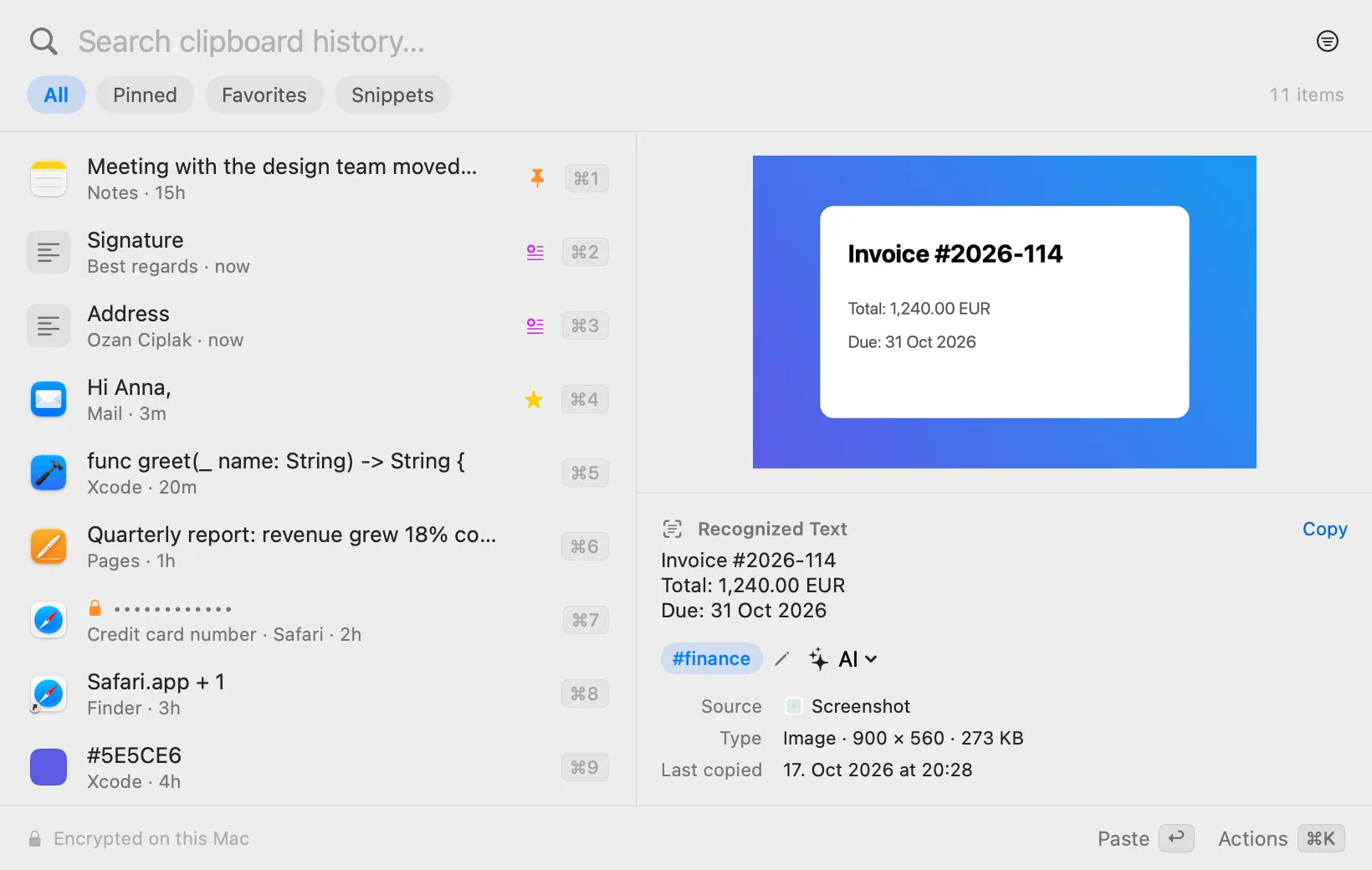
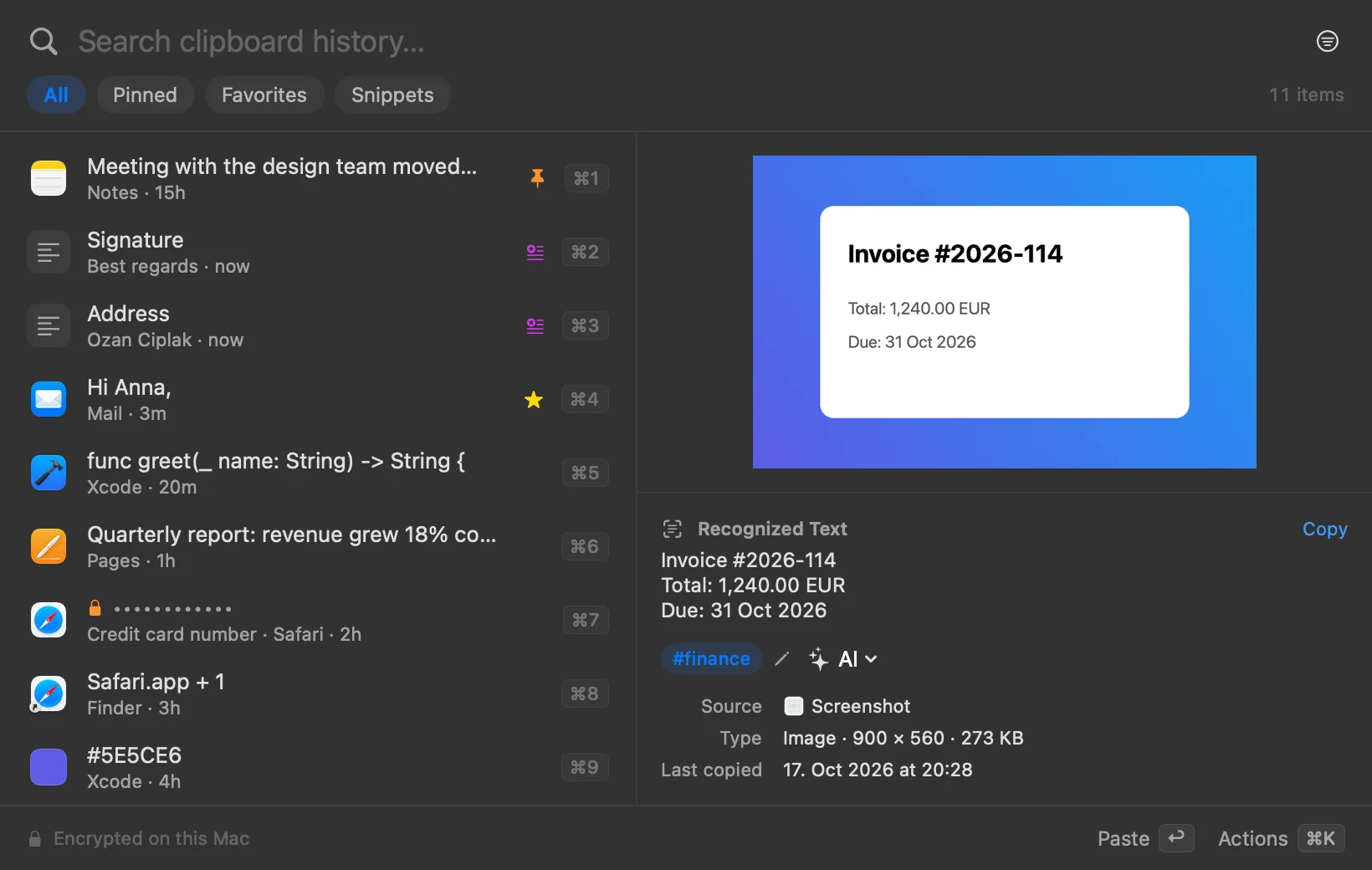
Klemm remembers what you copy: text, images, links, files and colors. Press ⌥V, type a few letters and hit ↩ to paste. Encrypted on your Mac, no account, no subscription.

macOS 14 or later. Apple silicon and Intel. In English and German.

Project Aurora

To do before Thursday:

– Send the quote to Anna

– Pick the logo colors

    This is Klemm, ready to try. Click into it and type “invoice”, pick with ↑ ↓ and paste with ↩. ⌘K shows every action. This is Klemm, ready to try. Tap an item to paste it.

    You copy as usual. Klemm keeps it.

    1. Copy

      Klemm sits quietly in the menu bar and remembers everything you copy, from any app.

    2. Press ⌥V

      Your history shows up on top of the app you’re working in. Pick any shortcut you like.

    3. Type and ↩

      A few letters are enough. Klemm pastes the item right where your cursor is.

    Paste it the way you need it.

    ⌘K opens every action for the selected item, including more than twenty ways to paste it. Try a few right here.

    Pastes as
    Paste as

    Private by design.

    Your clipboard sees everything: passwords, account numbers, private messages. That’s why Klemm keeps it all on your Mac, encrypted.

    How Klemm sees sensitive items
    • S 4111 1111 1111 1111 Credit card number · Safari Hidden
    • M DE89 3704 0044 0532 0130 00 Bank account (IBAN) · Mail Hidden
    • T sk-proj-8fK2mXq9Lw4TzR7v… API token · Terminal Hidden
    • X -----BEGIN OPENSSH PRIVATE KEY----- Private key · Xcode Hidden
    • Stored encrypted

      Every item is encrypted with AES-256-GCM on your Mac. The key lives in the macOS keychain. Deleted items are overwritten, not just hidden.

    • Passwords stay out

      Password managers mark copied passwords as confidential, and Klemm never reads them. It records nothing at all from 1Password, Bitwarden, the Passwords app and others. You can add more apps to the list.

    • Spots sensitive data

      Klemm recognizes credit card numbers, IBANs, API keys, access tokens and private keys itself, using real checksums instead of guesswork. You decide: hide them, don’t save them, or delete them after a while.

    • No account, no cloud

      Klemm needs no sign-in, and your items never leave your Mac. There’s no tracking, not even on this website. Only the license checks in with us now and then.

    AI that respects your data.

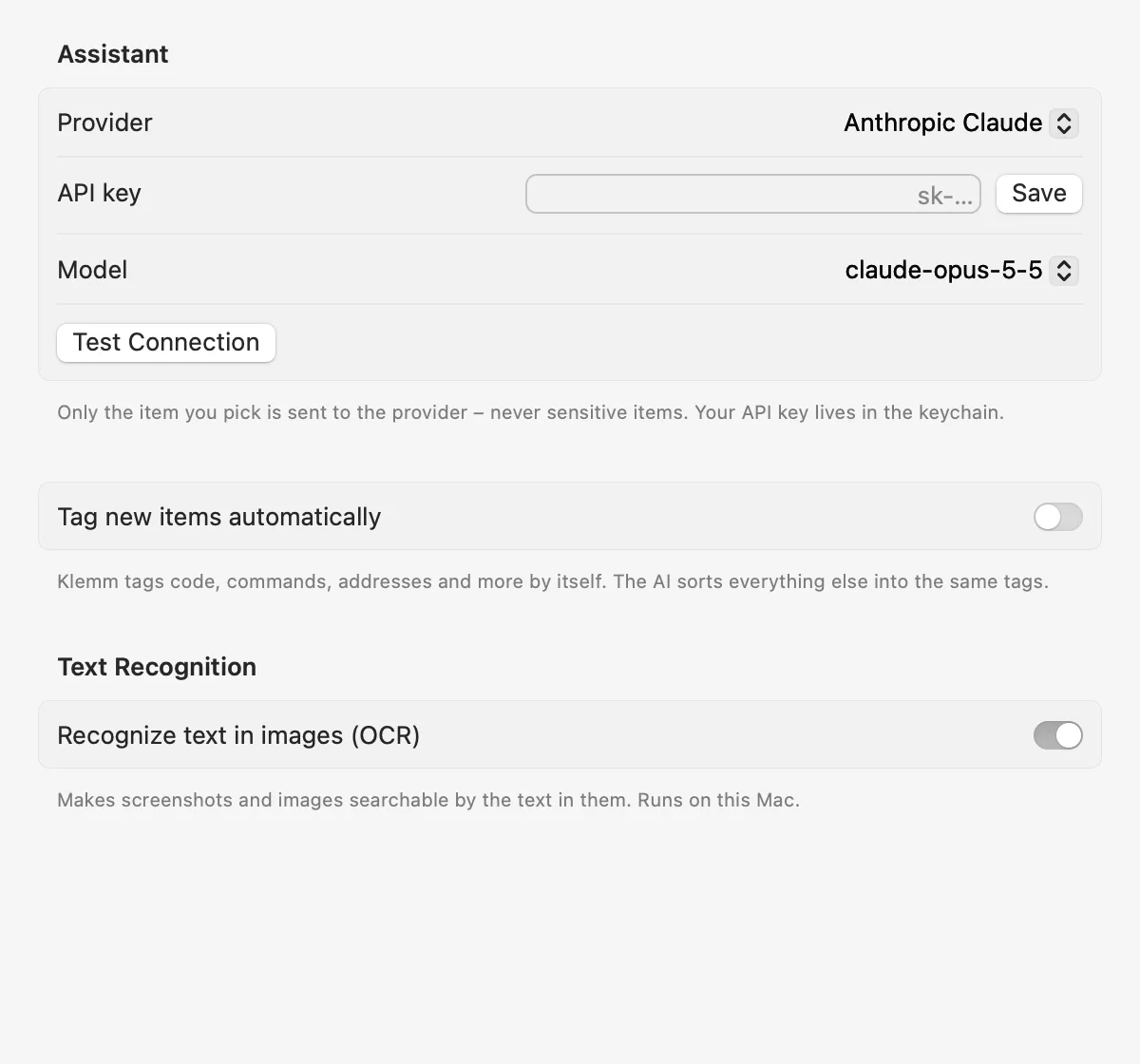
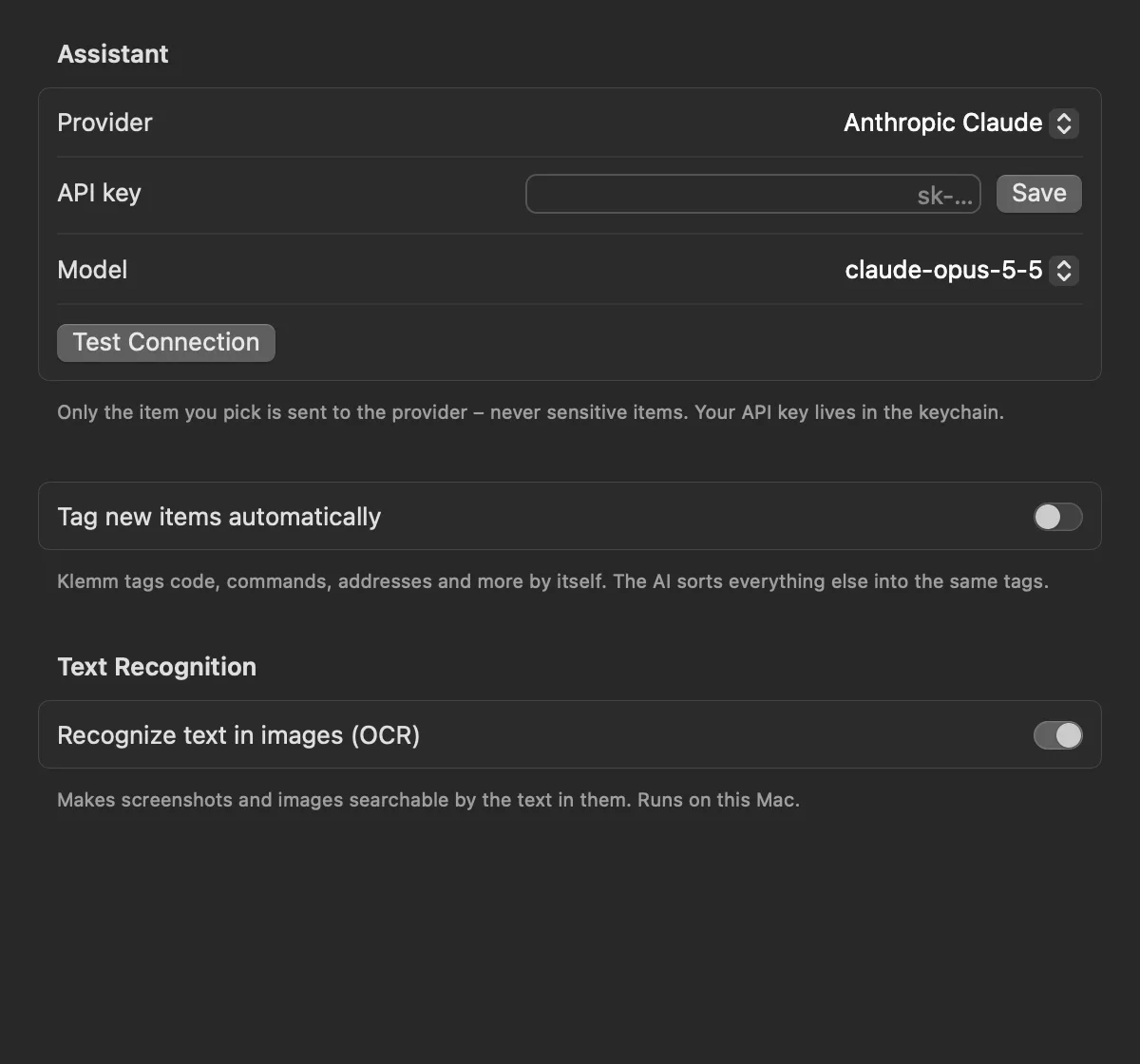
    Klemm summarizes long texts and sorts items into tags. Ideally with Apple Intelligence, right on your Mac. Or with your own key for Anthropic, OpenAI, or a local server like Ollama and LM Studio.

    On device
    With Apple Intelligence on macOS 26, nothing leaves your Mac.
    Only what you pick
    With a cloud provider, only the item you choose is sent. Items flagged as sensitive, never.
    Organized without AI
    Klemm recognizes code, commands, error messages, JSON, addresses, IBANs and contacts without any AI at all.
    Klemm AI settings with provider, API key and text recognition. Klemm AI settings with provider, API key and text recognition.
    Design meeting moved to Thursday at 2 PM, room Aurora. Please bring the logo drafts and send Anna the quote beforehand.
    Summary Meeting Thursday at 2 PM in room Aurora. Bring logo drafts, send Anna the quote first.

    A fixed set of tags keeps similar things together

    • #code
    • #command
    • #error
    • #data
    • #address
    • #contact
    • #appointment
    • #task
    • #note
    • #message
    • #article
    • #prompt
    • #finance
    • #shopping
    • #travel
    • #recipe

    What matters, stays.

    You decide how long Klemm remembers things. Pinned items, favorites and snippets always stay.

    Keep history for

    • Pinned
    • Favorites
    • Snippets
    • ⌘P

      Pin

      Stays at the top of the list for as long as you like.

    • ⌘S

      Favorites

      For everything you need again and again.

    • ⌘N

      Snippets

      Reusable text with a title, like your address or signature.

    • ⌘T

      Tags

      Add your own tags, rename and merge them.

    Leave the mouse where it is.

    Every action has a shortcut. The one that opens Klemm sticks to the key’s position, not its letter, so it works the same on QWERTY, Dvorak and AZERTY.

    ⌥V
    Open Klemm, in any app
    ↩
    Paste
    ⇧↩
    Paste as plain text
    ⌘1–9
    Paste one of the first nine items
    ⌘K
    All actions, including “Paste as”
    ⌘↩
    Copy without pasting
    ⌘P
    Pin
    ⌘S
    Favorite
    ⌘T
    Edit tags
    ⌘N
    New snippet
    ⇥
    Switch between All, Pinned, Favorites and Snippets
    ⇧⌘I
    Preview with or without formatting

    Buy once. Keep it.

    No subscription, no account. Try Klemm with every feature for 14 days. If you like it, buy a license and get your key by email right away.

    €10 one-time purchase, VAT included

    • Every feature, including AI and text recognition
    • One license for up to 3 Macs
    • Updates right inside the app
    • License key by email, instantly
    • Swap Macs anytime in the app

    Frequently asked questions

    How do I activate my license?

    After you buy, your license key arrives by email. It starts with “KL1-”. Click the Klemm icon in the menu bar, open Settings › License, paste the key and click Activate. Your Mac needs to be online once for this.

    What happens after 14 days?

    Your history stays and Klemm keeps recording. To open your history you’ll need a license. Enter your key and you’re right back where you left off.

    How many Macs can I use Klemm on?

    On up to three Macs of your own. Settings › License shows where your license is active, and you can remove a Mac to use the license on a new one.

    Does Klemm sync through iCloud?

    No, on purpose. Your history never leaves your Mac, and its key in the keychain isn’t synced to iCloud either.

    Does Klemm store my passwords?

    No. Password managers mark copied passwords as confidential, and Klemm never reads those. Apps like 1Password, Bitwarden and the Passwords app are excluded entirely on top of that.

    Which macOS version do I need?

    macOS 14 Sonoma or later, on Apple silicon or Intel Macs. On-device AI needs macOS 26 and a Mac that supports Apple Intelligence.

    Why does Klemm ask for Accessibility access?

    So it can press ⌘V for you after you pick an item. That’s all it uses it for. Without it, Klemm copies the item and you paste it yourself.

    Do the AI features need a subscription?

    No. Apple Intelligence is free. If you prefer Anthropic or OpenAI, enter your own API key and pay the provider directly. Klemm works fine without any AI, too.

    I lost my license key.

    Email support@getklemm.com from the address you used to buy Klemm, and we’ll send your key again.

    How do I delete my data?

    Under Settings › Storage you can delete single items, your whole history or everything. When uninstalling, also remove the folder ~/Library/Application Support/Klemm.

    Is Klemm available for Windows or iPhone?

    No. Klemm is a Mac app and deliberately builds on macOS features like the keychain, text recognition and Apple Intelligence.

    ⌥V. That’s all you need to remember.

    Free for 14 days. No account, no credit card.